Two different problems, two different fixes
| Symptom | Cause | Fix |
|---|---|---|
| Roku is listed, but buttons do nothing | Control by mobile apps is Limited or Disabled | Change the setting |
| Roku never appears | Network or phone permission | Check the network |
| Works, then drops out | Wi-Fi, power saving or the Roku's IP changed | Stabilize it |
The app finds the Roku, but buttons do nothing
Roku OS 14.1 added a setting that controls which apps may send remote commands. On many Rokus it's set to Limited, which lets apps type text and launch channels but blocks button presses — so the remote looks connected and does nothing.
With your physical remote (or a Roku TV's own buttons), go to SettingsSystemAdvanced system settingsControl by mobile appsNetwork access and choose Enabled. On older software the options may read Default, Permissive and Disabled — choose Default. Our remote app shows the exact screens to look for:
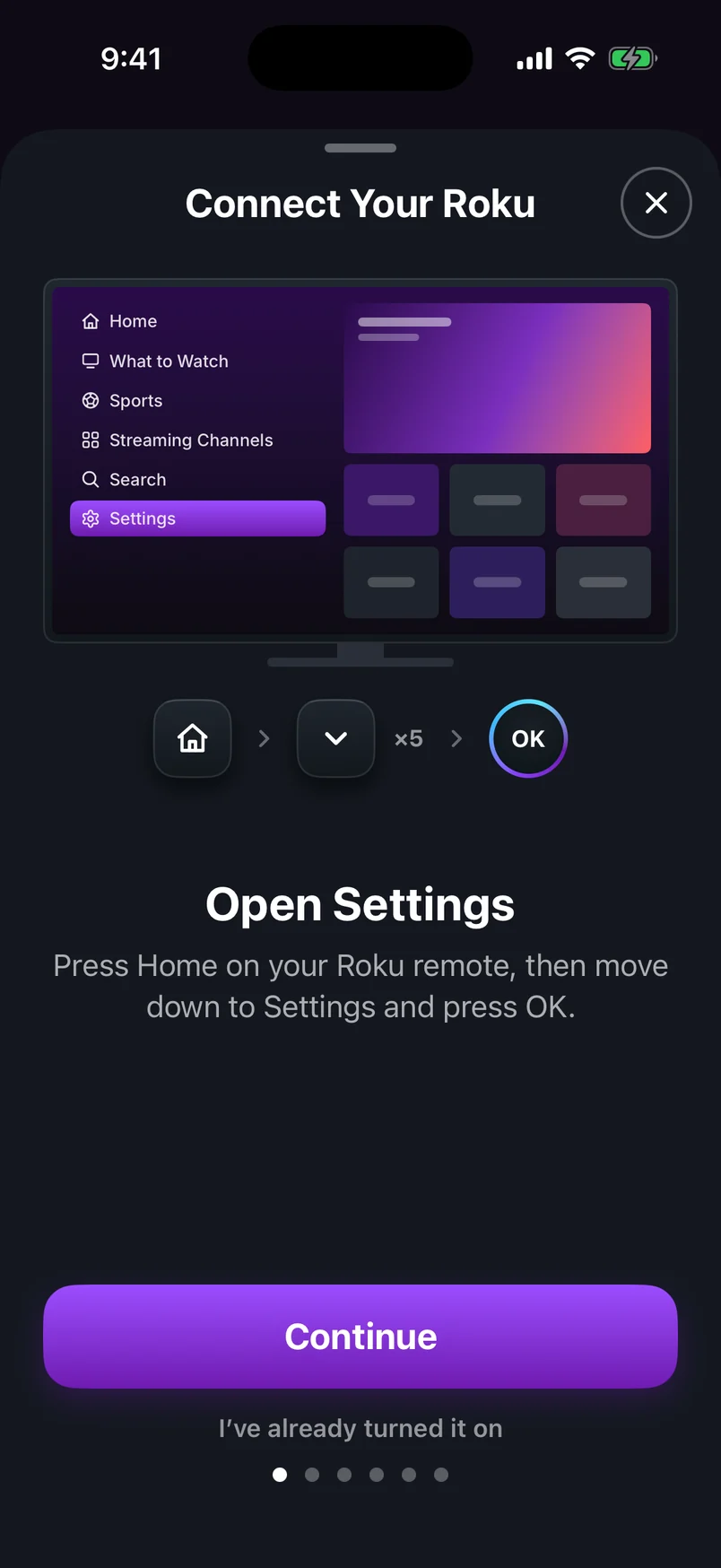
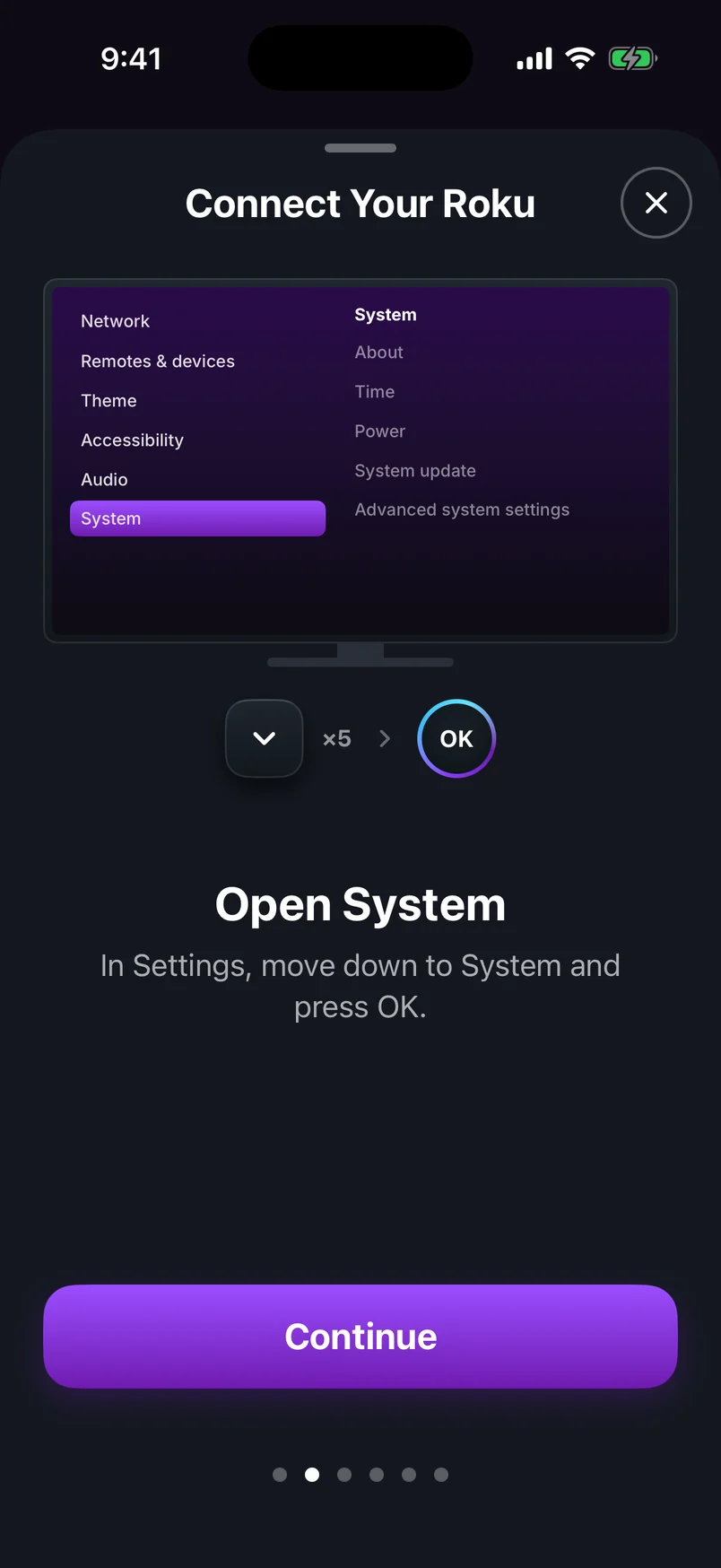
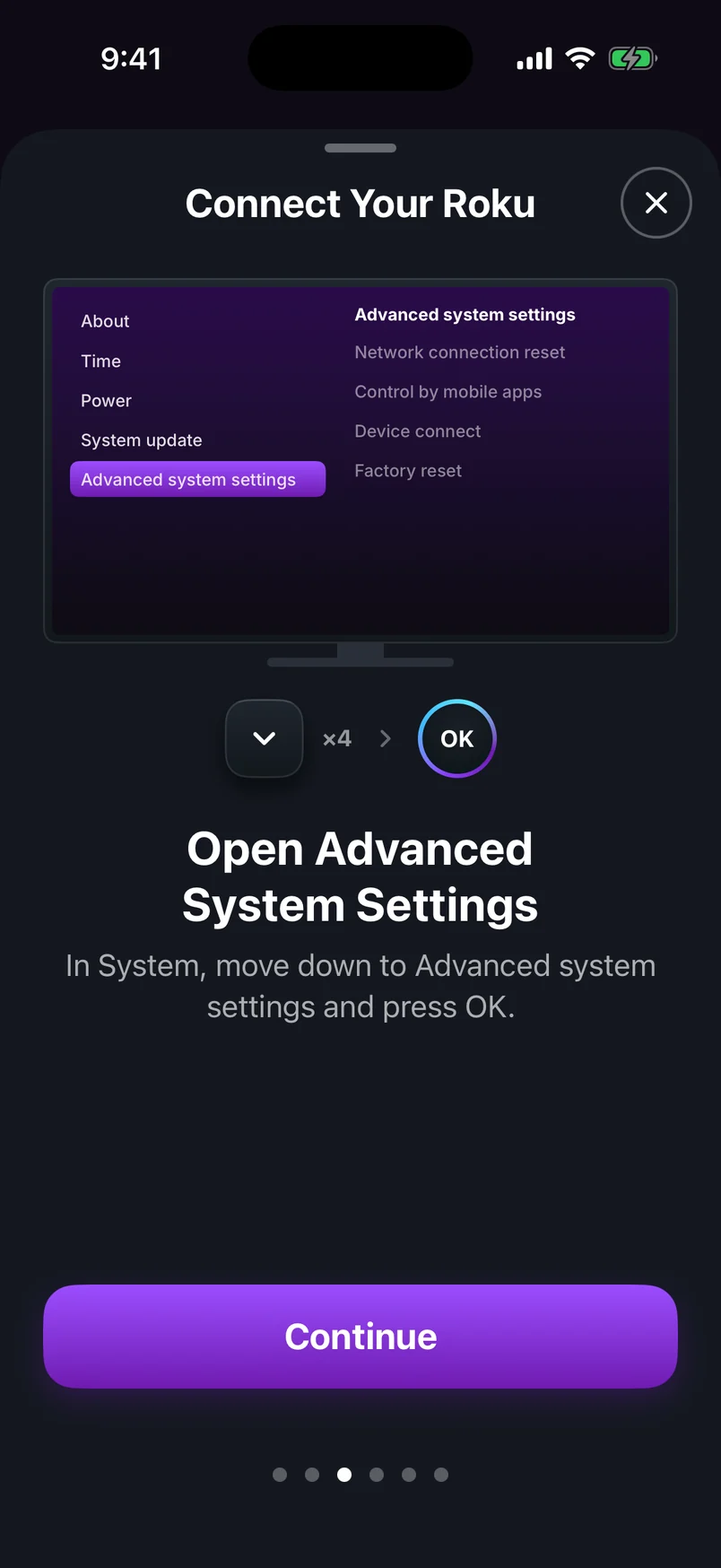
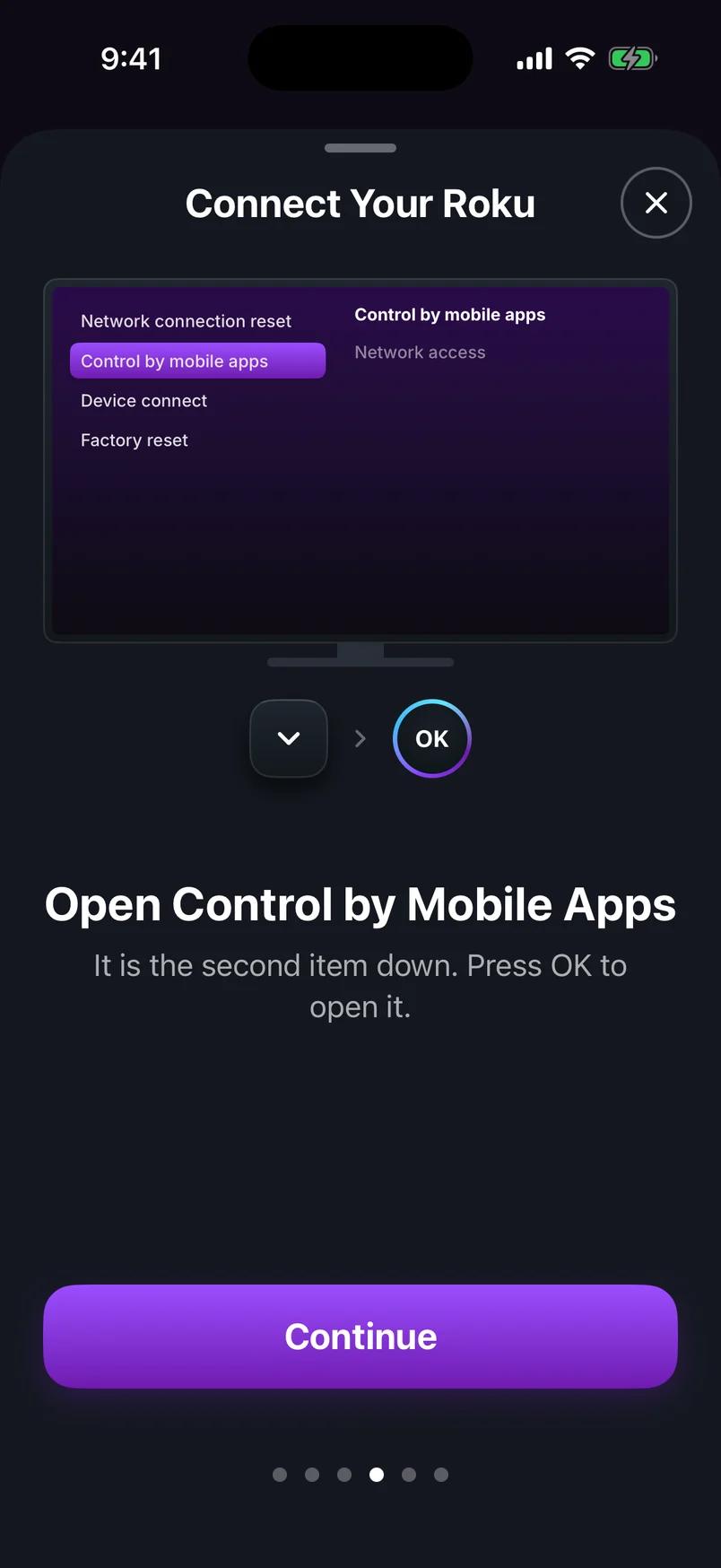
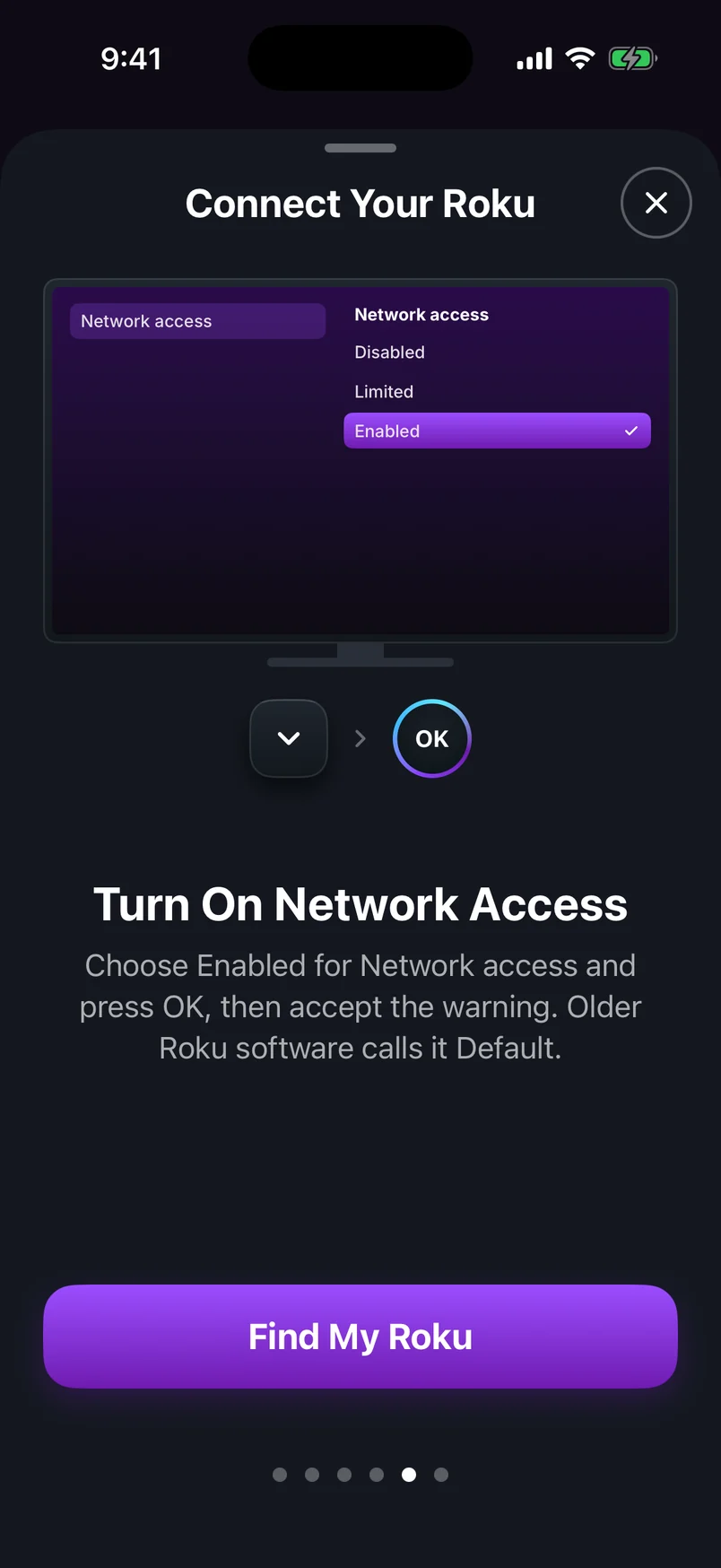
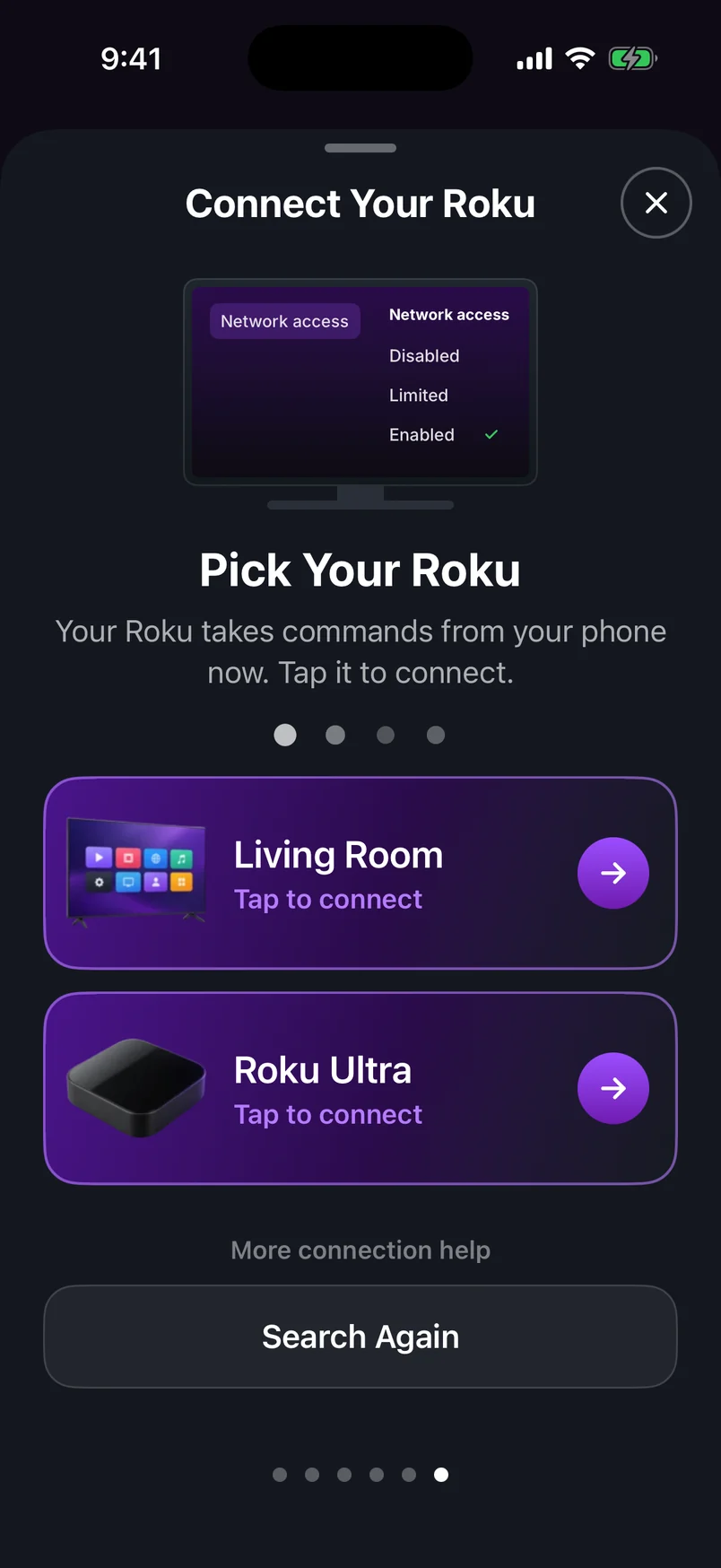
Choose a step, use the arrows, or swipe the phone. Play to advance automatically.
Step 1 of 6: Open Settings
| Option | What it allows | Phone remotes work? |
|---|---|---|
| Enabled | Apps on your home network | Yes — recommended |
| Limited | Typing, channel launches and in-app activity only | Partly — no button presses |
| Permissive | Devices inside and outside your network | Yes, but less secure than needed |
| Disabled | No apps at all | No |
The app can't find your Roku
1.Same Wi-Fi, not guest
Check the network name on the Roku under SettingsNetworkAbout and on your phone. Guest networks and “AP isolation” stop devices from seeing each other.
2.Allow the local network permission
On iPhone, open Settings, find the remote app and turn on Local Network. On Android, allow “Nearby devices” when the app asks, or enable it in the app's permissions.
3.Turn off VPN and private relay features
A VPN routes your phone's traffic away from home, so local devices disappear.
4.Connect by IP address
Note the IP address under SettingsNetworkAbout and enter it in the app's manual connection option. This bypasses discovery entirely — handy on mesh and business routers.
5.Wake the Roku
Some Rokus drop off the network in deep standby. Turn the TV on, press Home, and search again.
It works, then keeps disconnecting
Give the Roku a fixed address
If your router hands the Roku a new IP address now and then, a remote saved by IP loses it. Reserve an address for the Roku in your router's settings (often called DHCP reservation).
Check battery saving on your phone
Aggressive battery savers can cut Wi-Fi when the screen dims. Exclude the remote app from battery optimization.
Restart and update
Restart the Roku and your router once, and install updates under SettingsSystemSystem update.